This guide helps in creating a list of existing GitHub repositories in a GitHub organization in a text tile.
Exporting to a txt file helps in manipulating the data as needed for later steps.
The GH CLI official documentation has information to install and authorize GH CLI from your local.
Below are the steps for this guide:
- List org repositories
- JSON values
- JQ to filter JSON
- Output data into txt file
- Conclusion
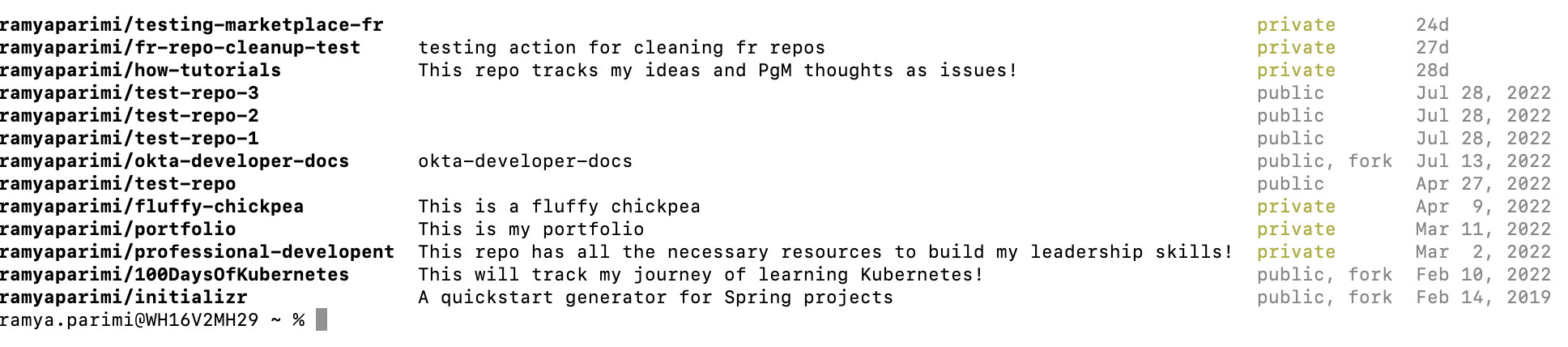
gh repo list ramyaparimi -L 13 will give an output of all repositories with description, repo
visibility and last activity in the terminal.
-L flag will give aximum number of repositories to list followed by the total number of repos in
the org. Example -L 13 gives the total number of 13 repos in my org.
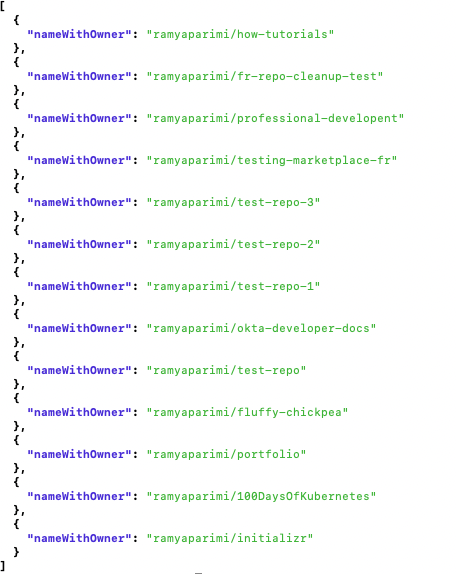
Adding the field name to JSON value will give the list of repos and their names.
gh repo list ramyaparimi -L 13 --json nameWithOwner
The list of repos in json format:
 The next step involves modifying the json output using jq. Install jq if not having already. Taking the
definition from [official jq documentation](https://stedolan.github.io/jq/manual/): _"A jq program is a
"filter": it takes an input, and produces an output. There are a lot of builtin filters for extracting a
particular field of an object, or converting a number to a string, or various other standard tasks."_
The next step involves modifying the json output using jq. Install jq if not having already. Taking the
definition from [official jq documentation](https://stedolan.github.io/jq/manual/): _"A jq program is a
"filter": it takes an input, and produces an output. There are a lot of builtin filters for extracting a
particular field of an object, or converting a number to a string, or various other standard tasks."_
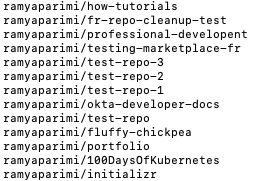
Adding a jq value of ".[].name" will generate list of repo names in the form of a list. It is
important to have " around the jq command to output the repo names without corrently. Not adding
double quotes around the .[].name command threw me an error.
gh repo list ramyaparimi -L 13 --json nameWithOwner --jq ".[].nameWithOwner"
Here is the list of repositories with owner name:
 Output data into txt file
I wanted this list exported into a .txt for easy data access and manipulation in later steps. I used
> output redirection to save the output in a .txt file.
gh repo list ramyaparimi -L 13 --json nameWithOwner --jq ".[].nameWithOwner" > sample.txt
Using >> will input the data into an already existing txt file:
gh repo list ramyaparimi -L 13 --json nameWithOwner --jq ".[].nameWithOwner" >> sample.txt
It is easy to manipulate data in text file. A GitHub Action can be used to change the visibility of the
repositories to the desired state. However, necessary persmissions should be there to make such changes in a
GitHub organization.